Introducing new Suspender
Freeze background apps while you play and give your game more CPU and RAM - everything you need to know about Suspender.
Discord, browsers, launchers and updaters keep running in the background while you play, quietly taking CPU time and RAM away from your game. That's why we built Suspender - a new feature in the Focus Mode section that freezes the apps you choose the moment your game is in front.
Suspended, not closed
Suspender doesn't close anything. Your apps keep their windows and data, they simply stop using your CPU while you play. Right after an app is frozen, its memory is released so your game can use that RAM instead.
The moment you leave the game - for example with Alt+Tab - everything is restored and your apps continue exactly where they left off.
How it works
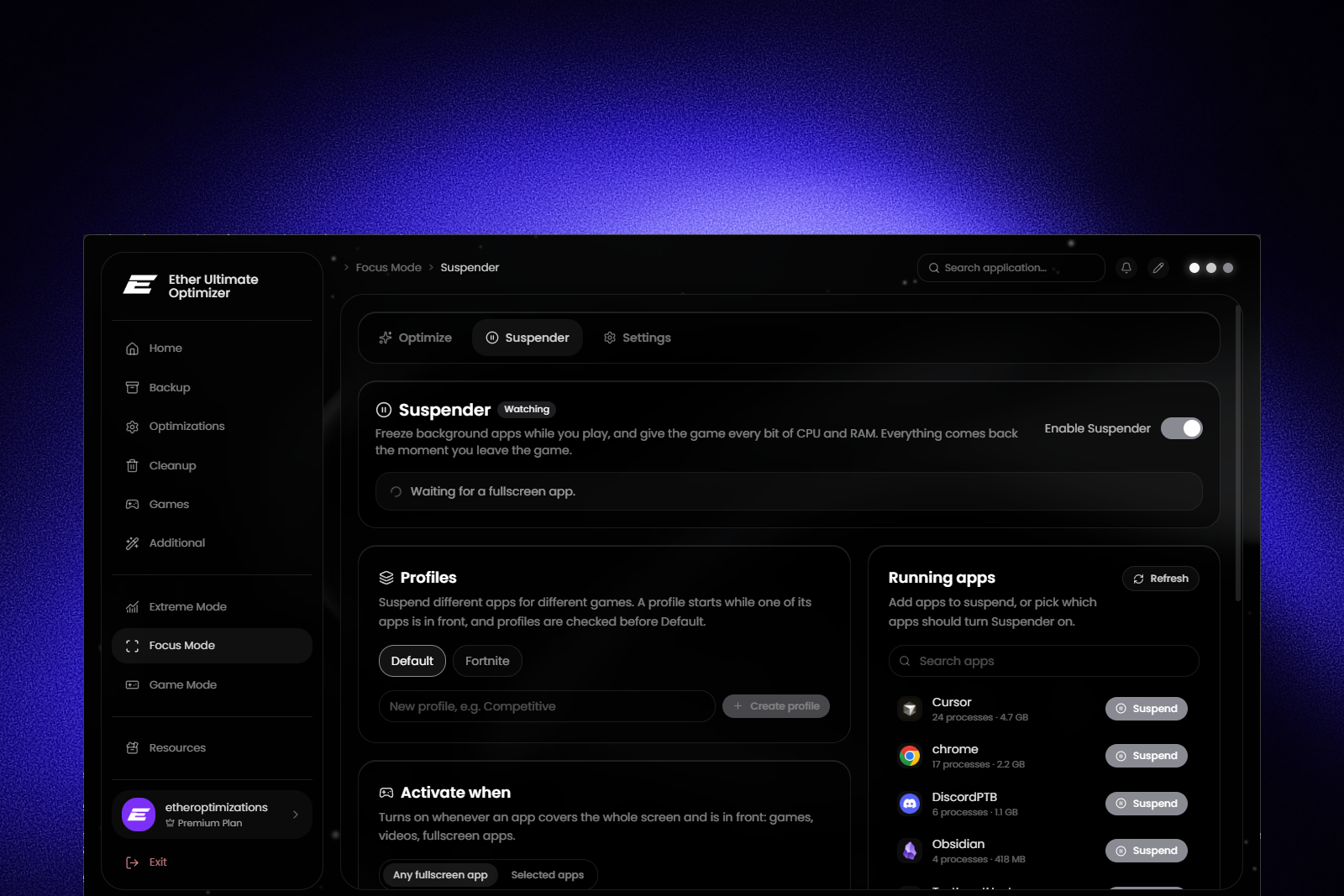
Turn on Enable Suspender and choose when it should kick in. With Any fullscreen app, it activates whenever something in front covers your whole monitor - games, videos or any fullscreen app. With Selected apps, it only activates while one of the apps you picked is in front, fullscreen or not.
Then add the apps you want to freeze. The Running apps list on the right shows everything currently running, with memory usage, so you can add apps with one click on Suspend. Apps that aren't running right now can be added by their exe name.
Suspender keeps working even after you close Ether Ultimate Optimizer and comes back automatically after a restart. A live status box shows what's happening, and the Restore now button resumes everything instantly whenever you need it.
Profiles
Different games, different needs. With profiles you can create separate setups - for example a Competitive profile - each with its own list of apps to suspend and its own trigger apps. Profiles are checked before the Default setup, and a green In use badge shows which one is running right now.
Disable System UI
Want to go even further? Disable System UI also closes the taskbar, Start menu and desktop while you play. They come back automatically as soon as you leave the game, and Alt+Tab keeps working the whole time.
Built to be safe
Critical Windows processes are protected and can never be suspended - they show up greyed out with a lock icon. Suspender also remembers what it froze before touching anything, so even after a crash or a sudden restart, every app is resumed and your desktop is brought back on the next start.
One tip: don't suspend your game's launcher or anti-cheat (like EasyAntiCheat, Vanguard or BattlEye). The game may close or kick you if you do.
Final notes
Suspender is our way of making sure your game gets every bit of performance your PC has to offer, without you having to close and reopen your apps every time you play. Head to Focus Mode → Suspender and give it a try.
As always, feedback is crucial. If you find any issues related to this feature or have ideas on how we can improve it - just let us know.